Enjoy the great prices and look out for cupon codes during holidays or events
we are not accepting credit or debit cards as payment at this moment but we will in the near future
How To Connect To The VPN
First Things First You Will Need Openvpn You Can Download This Here
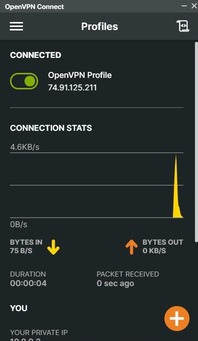
After You Install Openvpn You Will Need To Import The Openvpn config That Was Sent To Your Email After You Bought. You Can Do This By Dragging And Dropping The Config Into The Openvpn Program.
step 1: Download The OpenVPN App.
step 2: Download The OpenVPN Config From Your.
Step 3: Import The OpenVPN Config Into The OpenVPN App And Click Save Password.
Step 4: Connect To The VPN And Enjoy
How To Use Your GTA5 Account
XBOX: To Use Your GTA5 XBOX Account You Need To Go To Your Email Where The Account Will Be Sent, And Sign Into Your Account On Your XBOX. After That You Should Be Good To Go.
PC: When You Purchase A GTA5 Recovery We Will Get In Contact With You As Soon As Possible. After We Get In Contact With You We Will Sign Into And Mod Your Account The Process Of Modding Your Account Depends On What You Purchase But On Average Takes Between 30 Minutes To 1 Hour (YOU CANNOT BE ON THE ACCOUNT WHEN WE ARE MODDING IT). We Will Let You Know When We Are Done, After That All You Need To Do Is Login And Confirm That Everything Is Correct.
XBOX:
step 1:Check Email For Account.
step 2:Login Into The Account.
step 3:Any Issues Can Be Resolved Through Email Or The Discord.
PC:
step 1:Join The Discord, Or Wait To Be Contacted Through Email.
step 2:After Contacted We Mod Your Account And You Wait.